








Does the air purifier indicate the air quality levels of the room?
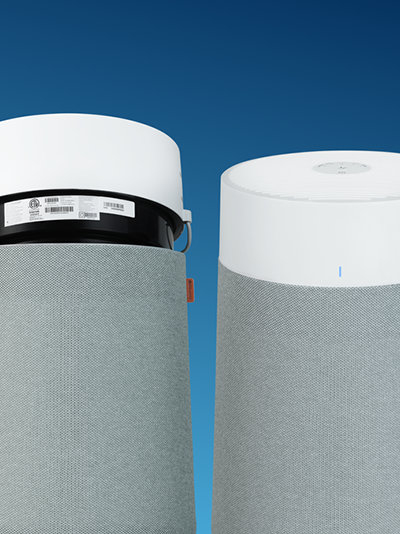
إن أجهزة تنقية الهواء الأزرق 411 Auto/3210 و 311 Auto/3410 و 211+ Auto/3610 لها مستشعرات جسيمات متكاملة يمكنها اكتشاف مستوى تلوث الهواء الداخلي وعرض مستويات جودة الهواء الخاصة بك مع LED في مقدمة الوحدة باللون الأزرق والعنبر والأحمر.
Why is the air purifier detecting high levels of Particulate Matter (PM)?
قمم الجسيمات (PM) طبيعية ومن المتوقع أن تحدث مؤقتًا ، حتى عندما يكون الهواء ذو جودة جيدة لأن أجهزة استشعار جهاز تنقية الهواء الخاص بك تتفاعل في كل مرة يكون فيها جهاز تنقية الهواء على اتصال مع الجزيئات المحمولة جوا.
Pollution from outside coming in from open windows or ventilation may also cause high PM levels.
يجب أن تنخفض مستويات PM مع استخدام جهاز تنقية الهواء ومع التهوية.
Examples of PM sources: candles, smoke, cooking, incense, fireplace, accumulated dust, unfiltered vacuum cleaner, pollen, pets, etc.
كيفية تقليل مستويات الجسيمات (PM) وتحسين جودة الهواء الداخلي؟
- Make sure that the air purifier is used in an adapted room size with closed windows and doors.
- Set the highest speed of the air purifier temporarily or use the Auto Mode (not available with all models).
- Ventilate the room temporarily.
What to do if the PM levels do not decrease?
- Try to find the pollution source. If the PM values are constantly high, the indoor air might be polluted. If your air purifier has the WiFi feature, the Blueair app can help find the source of pollution. افتح تطبيق Blueair وأضف جهاز تنقية الهواء وتحقق من تاريخ جودة الهواء: تحقق من تاريخ Peaks وحاول التفكير في ما يمكن أن يحدث في تلك اللحظات.
- Test the air purifier in a smaller room. Test the PM sensor by placing the unit in a small room running at full speed with all windows and doors (and ventilation if possible) closed.
- Clean the sensors. If the PM levels are constantly very high, there might be accumulated dust on the sensor giving a false indication. فراغ الجزء الخارجي من جهاز تنقية الهواء ، وخاصة مداخل الهواء ، والمنافذ ، ومدخل مستشعر جودة الهواء. Power off the unit before vacuuming. See sensor care and maintenance FAQ and user manual.

If the above actions did not help, please contact our Blueair Customer Support teams to investigate further.